

Most practices that know they need a new EHR stay stuck anyway. This isn’t because the current system works, but because switching feels too risky. However, staying with the wrong EHR software creates long-term inefficiency that outweighs transition challenges.
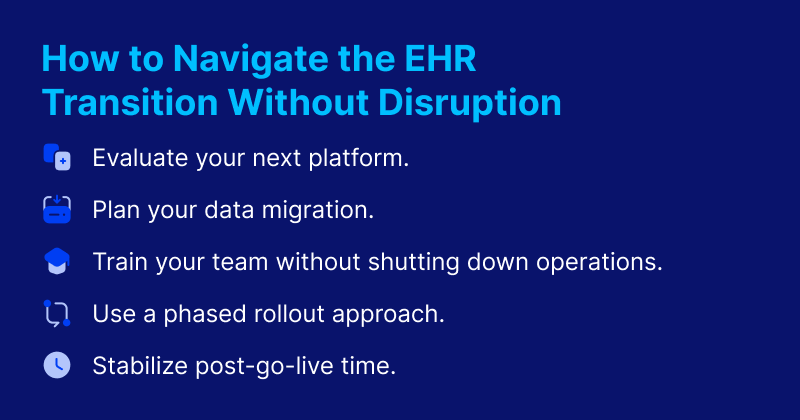
This guide breaks down the EHR transition into manageable phases: evaluation, data migration, training, phased rollout, and stabilization.
Why Switching EHR Software Is Different: 4 Concerns Hindering the Transition
EHR software transitions come with rightful concerns. A paper from Applied Clinical Informatics (ACI) explains how “transition teams must overcome inadequate human infrastructure, technical challenges, security gaps, unrealistic providers’ expectations, workflow changes, and insufficient training and support.”
Let’s break down the top four concerns that practices often have about switching EHR systems and how to overcome them.
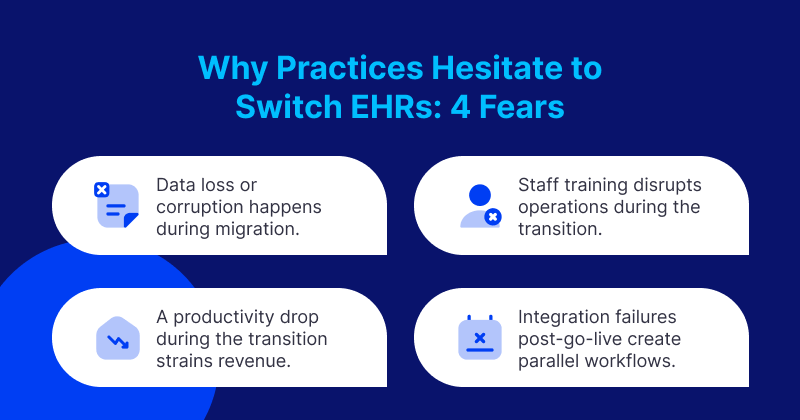
Patient Data Safety
One of the most common reasons practices avoid EHR migrations is fear that patient data will be lost, corrupted, or inaccessible during migration. This fear isn’t unfounded. Poor EHR migrations do create data quality issues, but this is also manageable with proper planning. Practices stay with inadequate systems for years because the data migration risk feels unacceptable.
The challenge is distinguishing between data migration done poorly (high risk) and a properly executed data migration (manageable risk), and equipping your practice to execute the latter. A well-planned migration helps ensure data integrity and preserve clinical continuity.
Challenges with Training Staff While Changing EHR Systems
Training staff on a new EHR systems while maintaining clinical operations is operationally challenging. Training during work hours reduces capacity, but training outside hours creates staff burden. And a go-live day without adequate training creates dangerous workflow gaps. Practices often underinvest in training because it feels like a cost, then experience go-live disruptions that could have been prevented.
The training challenge is real, it’s solvable, as long as your practice has a structured methodology that builds competency without unsustainable operational disruption. For example, role-specific training and a simulation learning environment can reduce disruption during the transition and ensure staff are confident before going live.
Decline in Productivity Post EHR Migration
Every EHR migration involves some productivity decline as staff navigate new interfaces and workflows. Practices, particularly smaller ones with thin margins, fear that this productivity drop will create financial strain.
The concern is legitimate, but manageable. Unplanned productivity drops are devastating, whereas planned drops with mitigation strategies are survivable. The difference between an acceptable transition and a practice-threatening disruption is planning that anticipates and mitigates productivity decline.
EHR Integration Failures
EHR transitions sometimes reveal integration gaps. For instance, you may find lab interfaces that don’t connect, billing system links that don’t work, or referral workflows that break. These gaps require parallel manual processes during resolution, and these parallel workflows create double work and undo efficiency gains.
Practices discover these failures post-go-live when they’re managing clinical operations simultaneously, but pre-go-live integration testing prevents parallel workflow creation by identifying and resolving integration failures before they impact operations.
Planning a smooth migration is usually a better option than holding on to an EHR system that’s not a good fit. The cost of delaying includes less efficient operations, staff and physician burnout, and higher turnover.
The Cost of Delaying Changing EHR Systems and Staying On the Wrong Platform
The American Medical Association (AMA) shows that 20.9% of physicians report spending more than eight hours on the EHR outside normal work hours a week.
This EHR use is driving physician turnover. For instance, a study published in the Journal of the American Medical Association (JAMA) shows that the turnover rate is 5.1% per year, or 32 out of 314 physicians. Physicians complete an average of 2.6 appointments per hour and 206 appointments per month, with 5.5 hours of EHR time for every 8 hours of scheduled patient time. The study found that when team members (such as nurses and medical assistants) shared EHR tasks, physicians were significantly more likely to stay. When they couldn’t, and physicians bore the EHR burden alone, departure risk increased. So, if your EHR doesn’t support team-based work, it’s isolating your physicians and accelerating turnover. Physician turnover in itself is expensive. The cost ranges from $500,000 to $1 million per doctor, according to the AMA.
Another JAMA Network study also found that there is significant variation in usability across EHR functions, with alerts receiving the lowest score. Greater usability was associated with higher EHR software satisfaction, and efficiency strategies are associated with improved satisfaction only for physicians with highly usable EHRs.
In other words, not all EHRs are created equal, and you can’t train your way out of a poorly designed system. Efficiency strategies only move the needle when the underlying platform is already usable. This raises the question: if the wrong platform is driving burnout, turnover, and lost revenue, how do you make sure the next one is the right one?
How to Switch EHR Systems: Evaluating Your Next Platform to Avoid Disruptions
EHR migrations are achievable without catastrophic disruption when planned and executed well. The first step is evaluating which EHR will best support your growth and scale, because the decision to switch should be made based on long-term fit, not fear of short-term disruption.
Here are questions to assess the long-term fit of the solution you’re evaluating:
- Can the system accurately and efficiently import existing patient demographic data, and does it support ongoing data migration as your practice grows?
- What are the hardware and server requirements, and will the underlying infrastructure scale to accommodate additional providers, locations, or patient volume over time?
- Can clinical forms be customized to match your specialty-specific workflows, and can they adapt as your documentation needs evolve?
- How well does the e-prescribing setup support team-based prescribing workflows, and does it integrate cleanly with your existing clinical processes?
- Does the system offer seamless, bidirectional lab integration, and can it connect with the labs and interfaces your practice relies on now and in the future?
- Is faxing fully integrated into clinical workflows, and does it reduce administrative burden across your team rather than functioning as a standalone tool?
- Is the system fully prepared for ICD-10 (and future coding standards), and does the vendor demonstrate a track record of keeping pace with regulatory changes?
- How well do the billing and coding capabilities support accurate reimbursement, and do they scale with increasing claim volume and practice complexity?
- Does the vendor provide a dedicated implementation specialist, and is there demonstrated, ongoing support beyond the initial go-live?
The best EHR software for your practice isn’t the one with the longest feature list, but rather, the one your team can actually use together.
Planning Your Data and EHR Migration
One of the most common reasons practices stay on the wrong EHR system is the fear that patient data will be put at risk. The methodology outlined here resolves this fear.
Successful transitions depend on data migration quality, training strategy, and phased rollout design. Conduct a comprehensive data inventory and mapping before migration to understand what moves and how. Implement staged migration with validation at each stage before proceeding, and maintain parallel data access during the transition period, allowing fallback if issues emerge. Use migration specialists with EHR-to-EHR experience who understand common failure points.
Using this methodology, your practice can maintain data integrity through systematic validation at each stage. Clinical continuity is preserved through an accessible patient history from day one, and risk gets managed to acceptable levels rather than avoided through years of wrong-system tolerance.
Training Without Shutting Down Operations
The challenge of training staff on a new system without grinding clinical operations to a halt is solvable. The goal is to build competency before go-live.
First, develop role-specific training plans that focus each staff type on their specific workflow needs. Implement a superuser model where designated champions train colleagues and provide peer support. You can use simulation training environments where staff practice workflows without affecting real patient data. Then, phase training ahead of go-live to build confidence before the system goes live in clinical settings.
This structured training methodology will establish staff competency before go-live while also reducing go-live disruption. Superusers who provide peer assistance during transition will allow for ongoing training support, and your practice can return to its full operational capacity faster after go-live, thanks to this pre-built competency.
The Phased Rollout Approach to an EHR Migration
Every transition involves some decline in productivity, and this concern makes thin-margin practices hesitate most. A phased rollout anticipates the dip and builds the financial and scheduling accommodations to absorb it.
To achieve a phased rollout, model your expected productivity decline and plan financial reserves or reduced scheduling to accommodate. Reduce appointment volume intentionally during the initial transition period rather than maintaining the full load, and identify high-impact workflows and prioritize their optimization in training and go-live support. You should plan your go-live timeline around slower clinical periods to minimize the financial impact of productivity decline.
This approach limits the managed productivity decline within a planned financial tolerance. You’ll achieve faster productivity recovery through focused optimization of the highest-volume workflows, and planned accommodations help maintain financial stability during the transition. This approach also increases your staff’s confidence in planning accuracy through realistic productivity decline modeling based on similar transitions.
Post-Go Live Stabilization After Switching EHR Systems
This phase eliminates the fear of discovering broken lab interfaces, billing links, or referral workflows after go-live.
Start by conducting comprehensive integration testing before go-live, making sure to cover all connected systems and workflows. Create an integration validation checklist that confirms every critical connection before full deployment. Then, plan go-live in stages that test integrations with limited patient volume before full deployment. Maintain go-live support resources that can resolve integration issues immediately.
This framework ensures integration issues get resolved before go-live rather than discovered during clinical operations. It also eliminates parallel workflow burden from integration failures and gives your staff confidence in system completeness, resulting in a smoother go-live experience.
From Transition Planning to Operational Confidence
Transition planning for your new EHR is a competency that can be developed, not an insurmountable challenge. The goal here should be risk mitigation, not risk elimination, and with careful planning, your practice can minimize disruptions. Practices that switch successfully gain significant long-term operational advantages.
DrChrono by EverHealth’s dedicated implementation specialists partner with your practice through every phase of the transition, from data migration and integration testing to staff training and post-go-live stabilization. You don’t have to navigate the switch alone. Learn more about building a transition plan designed around your practice’s specific needs and goals.